How to Set a GLD Skeleton WatchUpdated 9 months ago
How to Set a GLD Skeleton Watch
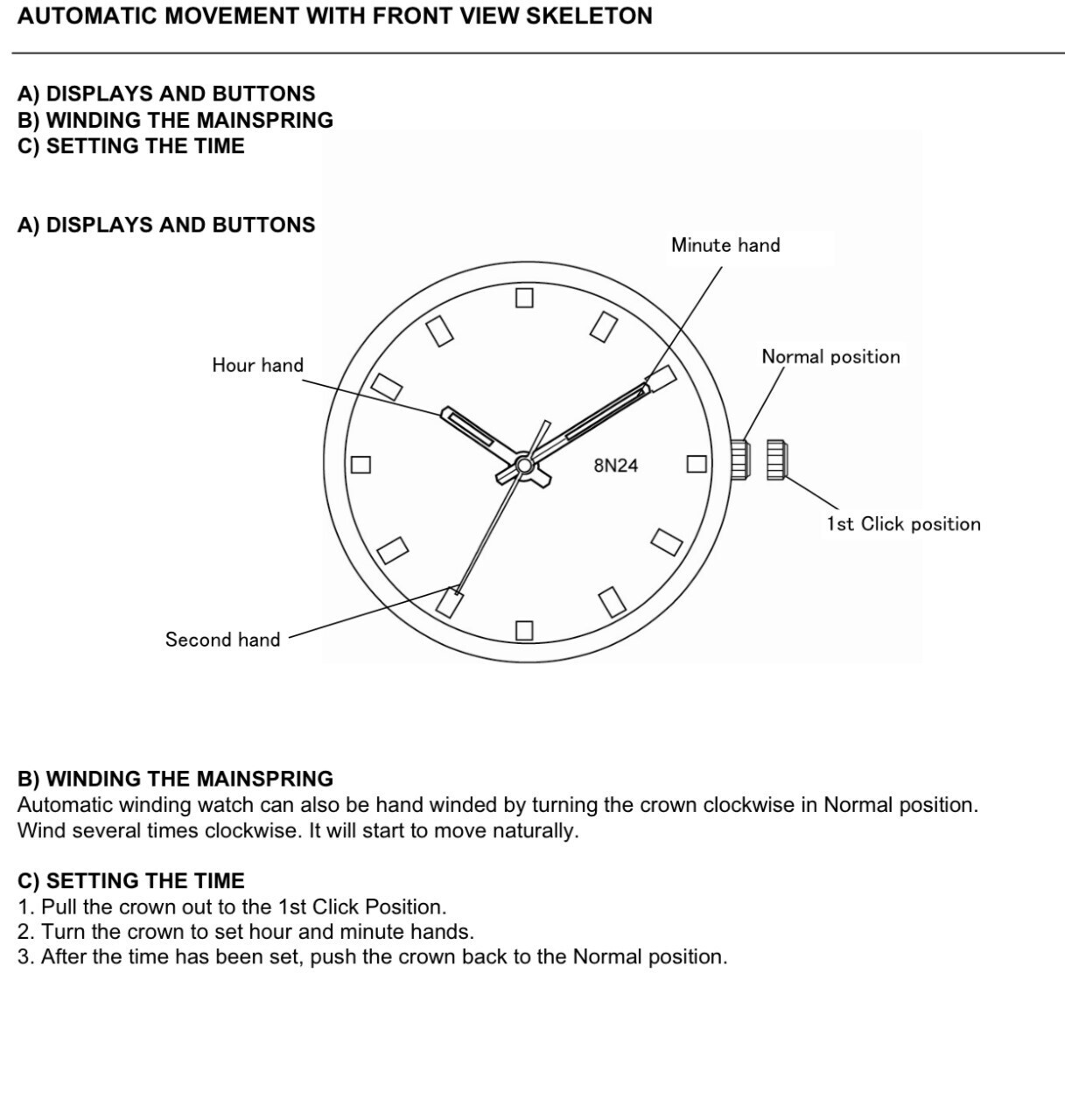
Step 1: Familiarize Yourself with the Watch Components
- The Hour Hand on a watch is the shortest and broadest hand. It completes a full rotation on the dial every 12 hours.
- The Minute Hand is also broad and slightly longer than the Hour Hand. It completes a full rotation around the dial every 60 minutes.
- The Second Hand is the longest and thinnest hand. It completes a full rotation every 60 seconds.
- The Crown has two positions: the Normal Position, which is the default for regular use, and the 1st Click Position, which is used for setting the time.
Step 2: Winding the Mainspring
These watches feature an automatic winding mechanism, which winds itself with regular wear. However, you may also manually wind the watch to ensure optimal performance.
-
Ensure the Crown is in the Normal Position: This is the default position of the crown when not setting the time.
-
Wind the Mainspring: Turn the crown clockwise several times while in the Normal Position. This will wind the mainspring and start the watch movement.
Step 3: Setting the Time
To accurately set the time on your watch, follow these steps:
-
Pull the Crown to the 1st Click Position: Gently pull the crown out until you feel it click into place. This is the 1st Click Position.
-
Set the Time: Rotate the crown to move the hour and minute hands to the desired time.
-
Secure the Crown: After setting the time, push the crown back to the Normal Position to secure it.
Your GLD Skeleton Watch is now set up and ready to wear. Regular wear will keep the watch fully wound and operating smoothly. If not in regular use, please manually wind your watch on occasion.
You can also refer to the diagram below: